
The Accounting menu holds your chart of accounts, transactions, items, price levels and financial reports. Bella FSM records the accounting for you as you work: every invoice, customer payment, bill and check is posted to the right accounts.
Reports
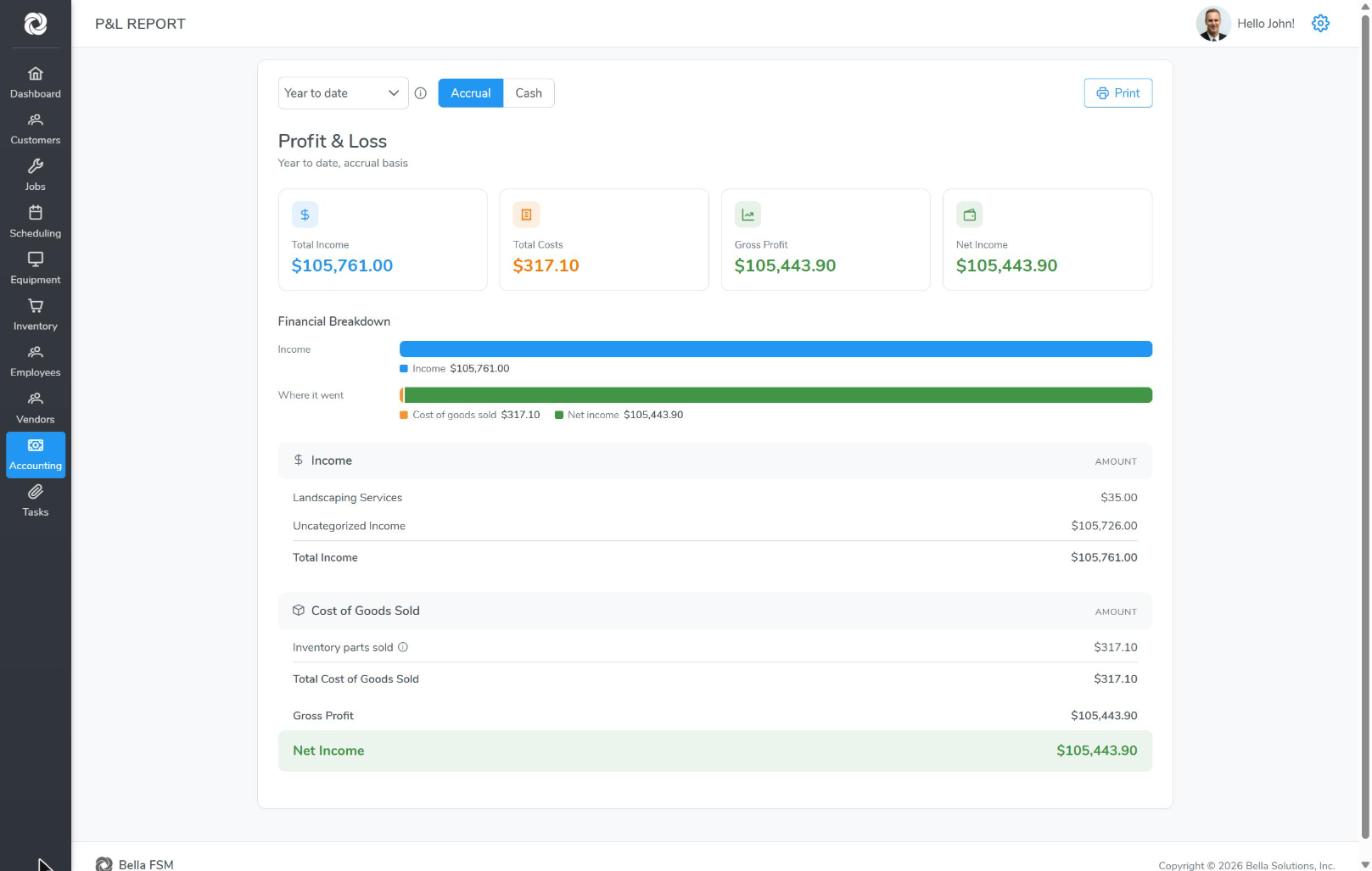
- P&L Report: income, cost of goods sold, expenses and net income for a date range, on an Accrual or Cash basis.
- Sales Tax Report: sales tax for a date range. Accrual shows tax charged on invoices, paid or not. Cash shows tax actually collected.
- Balance Sheet: assets, liabilities and equity as of a date. If it’s out of balance, Bella lists the transactions causing it and how to fix them.
- A/R Aging: what each customer owes as of a date, split into Current, 1-30, 31-60, 61-90 and over 90 days, in summary or detail.
- Job Profitability: income, costs, profit and margin for each job over a date range.
Each report has a Print button.
Account List
Accounting > Account List is your chart of accounts. Your account comes with the accounts most businesses need, such as Checking, Accounts Receivable, Accounts Payable, Inventory Asset, Undeposited Funds, Sales Tax Payable and Cost of Goods Sold. Click Add Account to add one, or click an account to edit it. Bella’s default accounts, like Sales Tax Payable and Undeposited Funds, can be renamed and edited, but not made inactive or deleted.
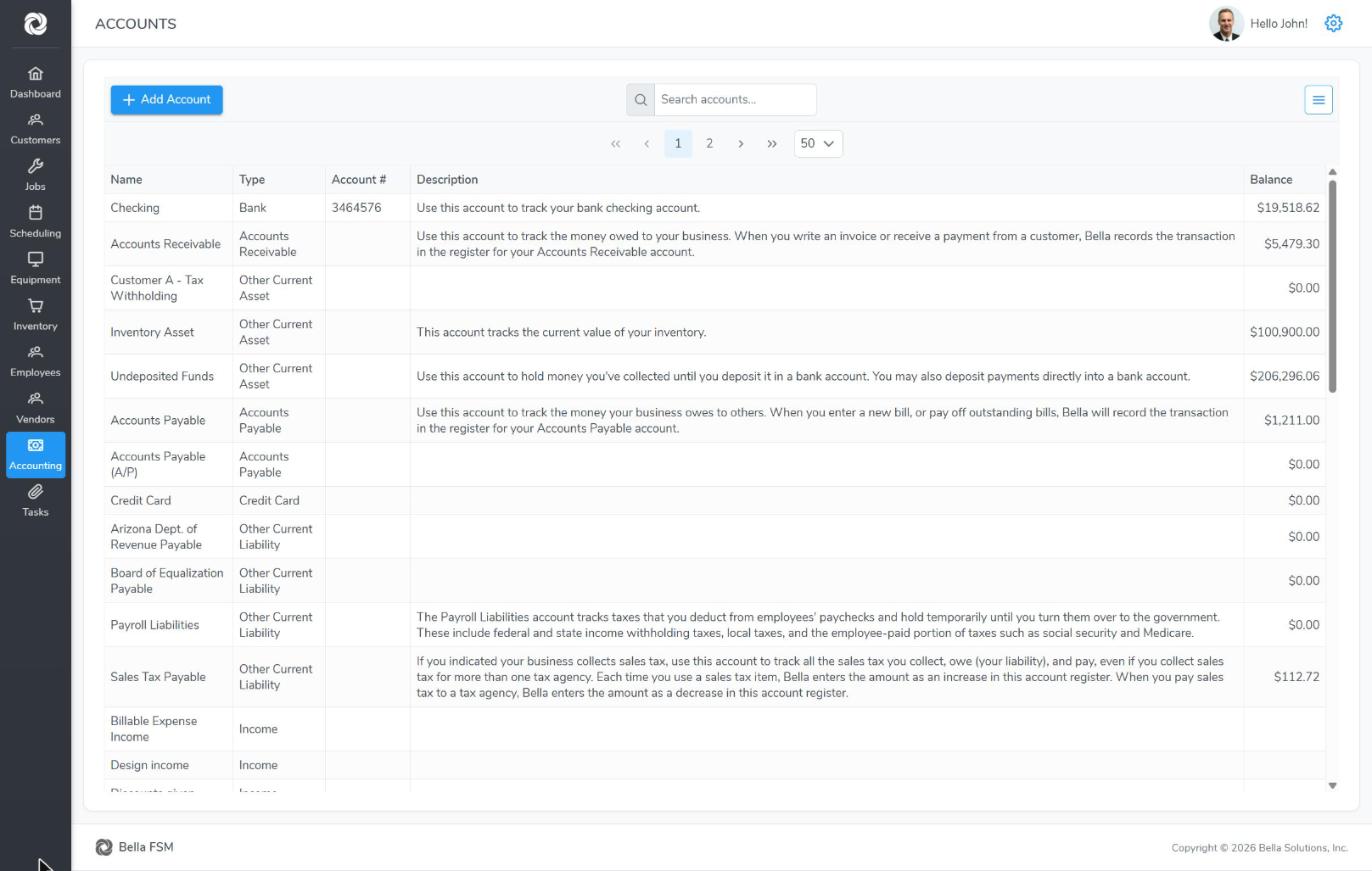
Account types follow standard accounting: Bank, Accounts Receivable, Other Current Asset, Fixed Asset, Other Asset, Accounts Payable, Credit Card, Other Current Liability, Long Term Liability, Equity, Income, Other Income, Expense, Other Expense, Cost of Goods Sold and Non-Posting. Bella creates two Non-Posting accounts for you, Estimates and Purchase Orders. They track those documents without affecting your books.
Transaction List
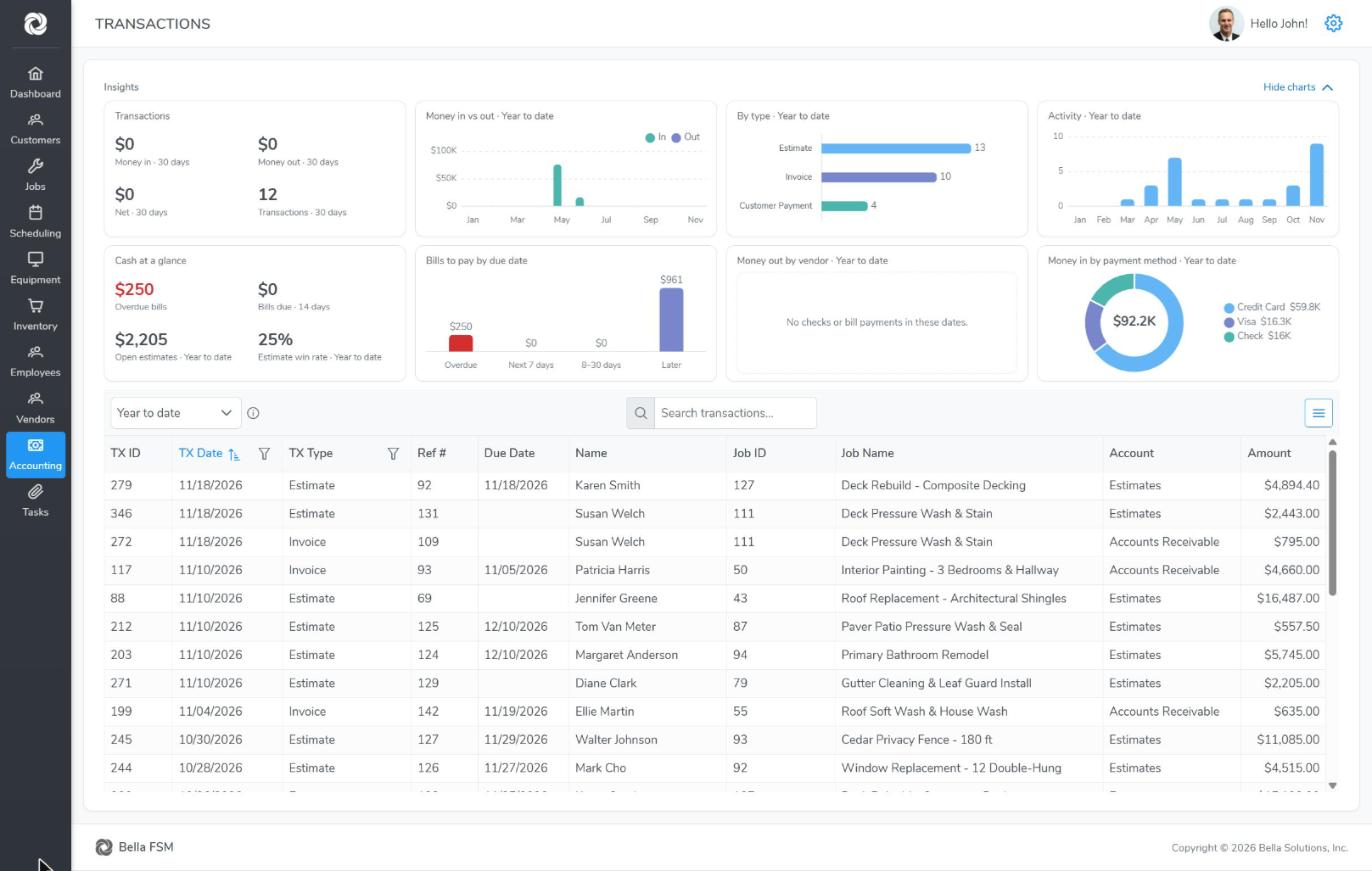
Accounting > Transaction List shows every estimate, invoice, payment, bill, check and deposit. The charts at the top show money in and out, transactions by type, overdue bills and payments by method. Pick a date range, search, filter by type and click a transaction to open it. The blue button with three lines downloads the list as CSV or Excel.
Checks and Deposits have their own lists under Accounting. Vendor bills and bill payments are under the Vendors menu, and invoices and customer payments under Customers.
Items and price levels
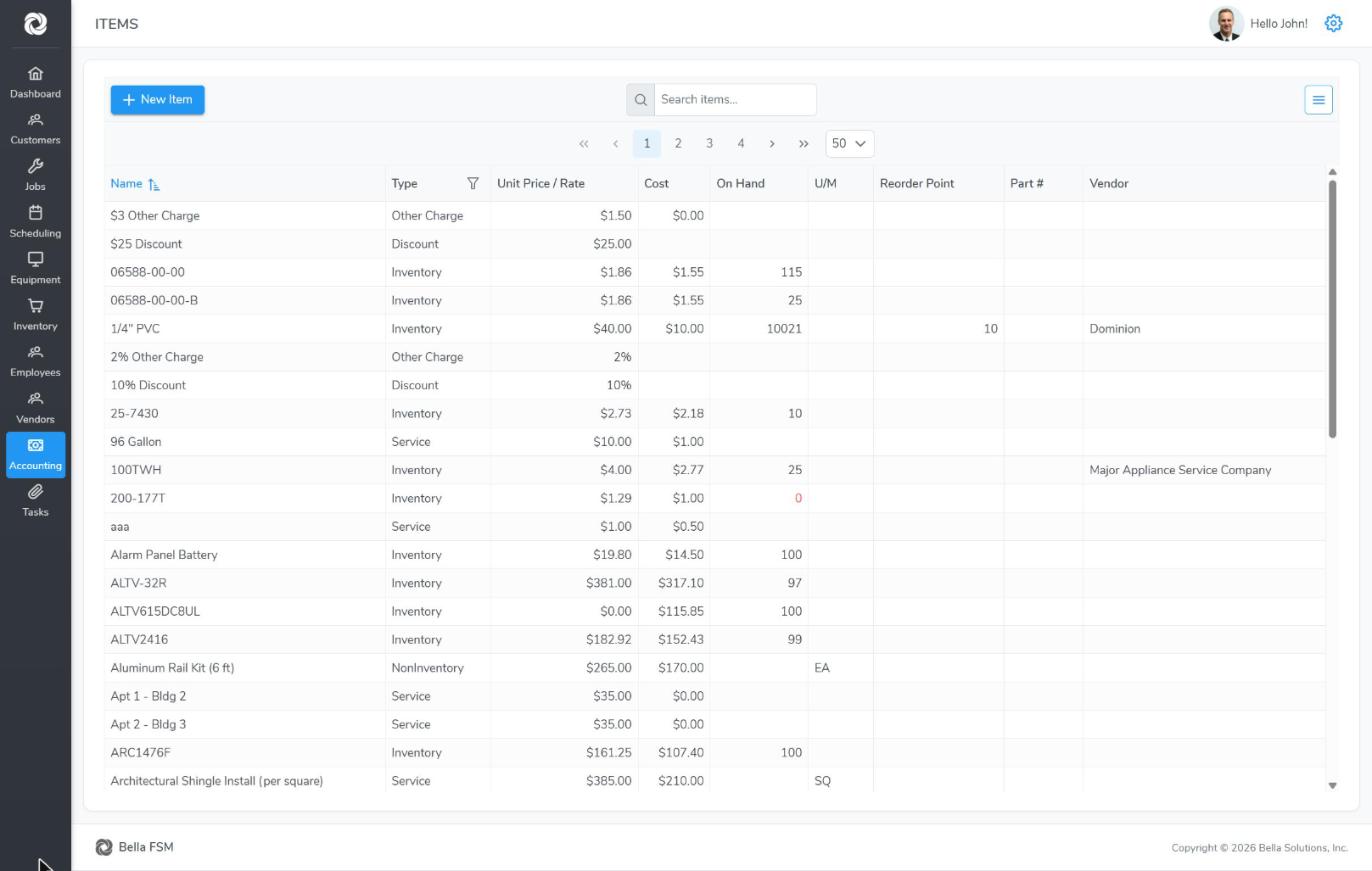
Accounting > Item List holds the products and services you sell: Service, Inventory, NonInventory, Other Charge, Discount and Sales Tax items. Each item has the accounts it posts to, such as an income account. If you leave an account blank, Bella uses your default account so the item always posts correctly. See Products and Services (Items) for item types, fields, price levels and importing.
Price Level List lets you charge some customers different prices. A Fixed % price level raises or lowers all prices by a percentage. A Per Item price level sets custom prices for specific items. Assign a price level to a customer and it’s applied on their jobs, estimates and invoices.
Sales Income and Job Items list what you’ve sold, by item and by job.
QuickBooks
Bella FSM can sync with QuickBooks Online or QuickBooks Desktop. Admins find both under the gear icon at the top right. See QuickBooks Desktop Integration.