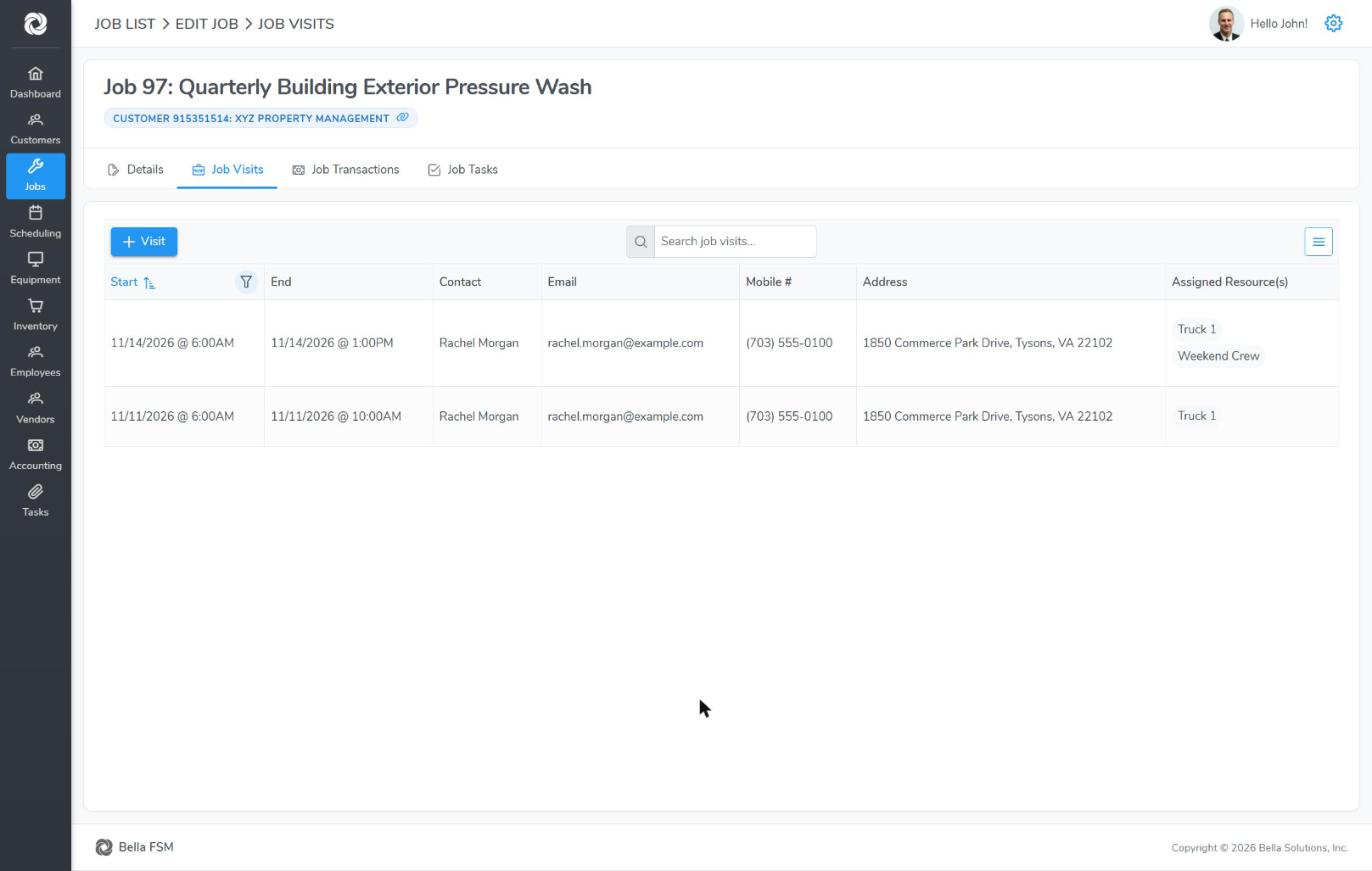
Use a recurring job for work you do on a regular schedule, like monthly pest control or quarterly pressure washing. You set it up once and Bella creates the future visits for you.
Set up a recurring job
- Create the job as usual (see Creating a Job), or open an existing job.
- In the Job Visit panel, set the first visit’s Start Date/Time, End Date/Time and Assigned Field Resource(s).
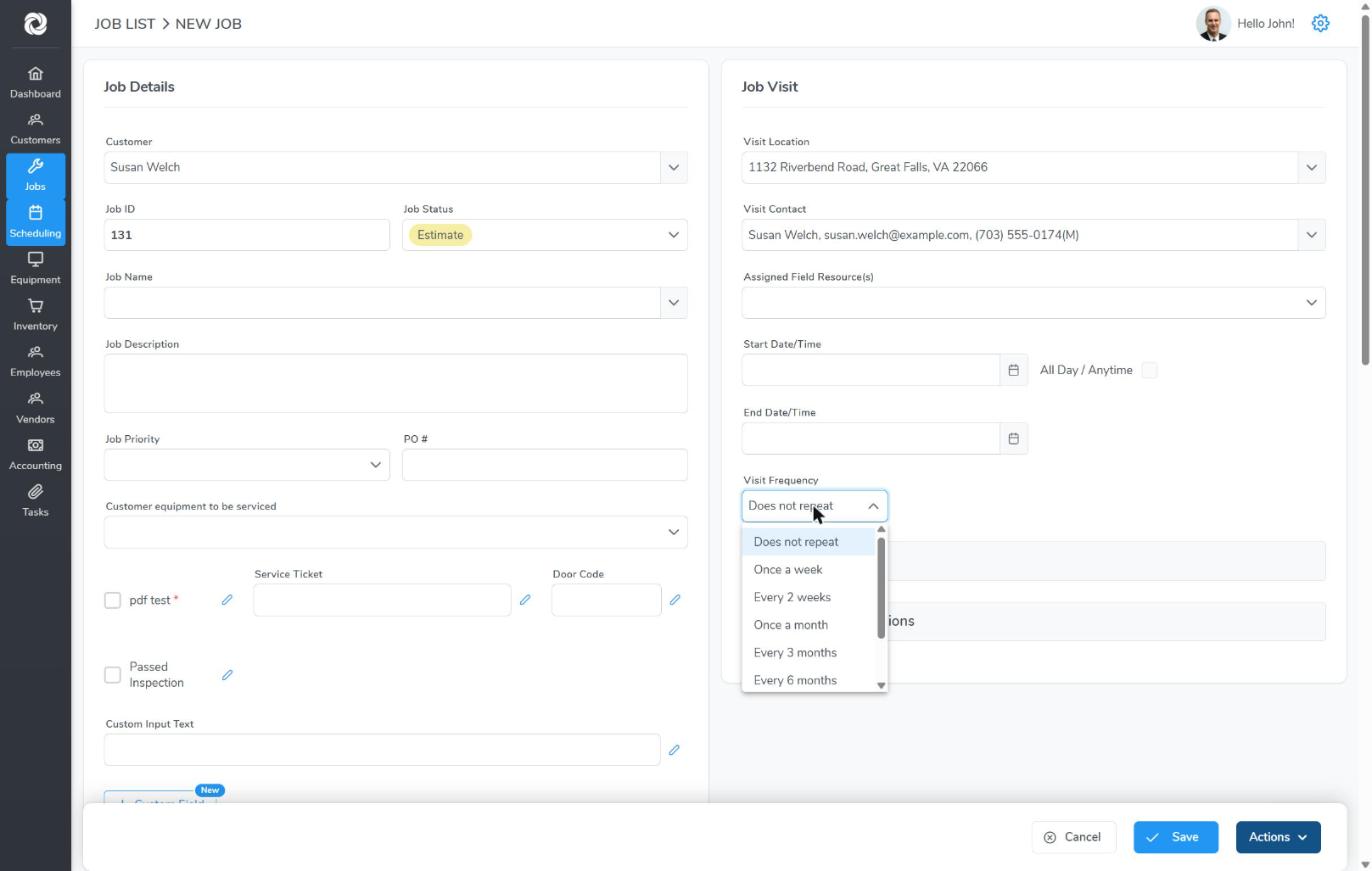
- Choose a Visit Frequency: Once a week, Every 2 weeks, Once a month, Every 3 months, Every 6 months, Once a year or Custom.
- Click Save. Bella creates the visits and puts them on the calendar.
Custom schedules
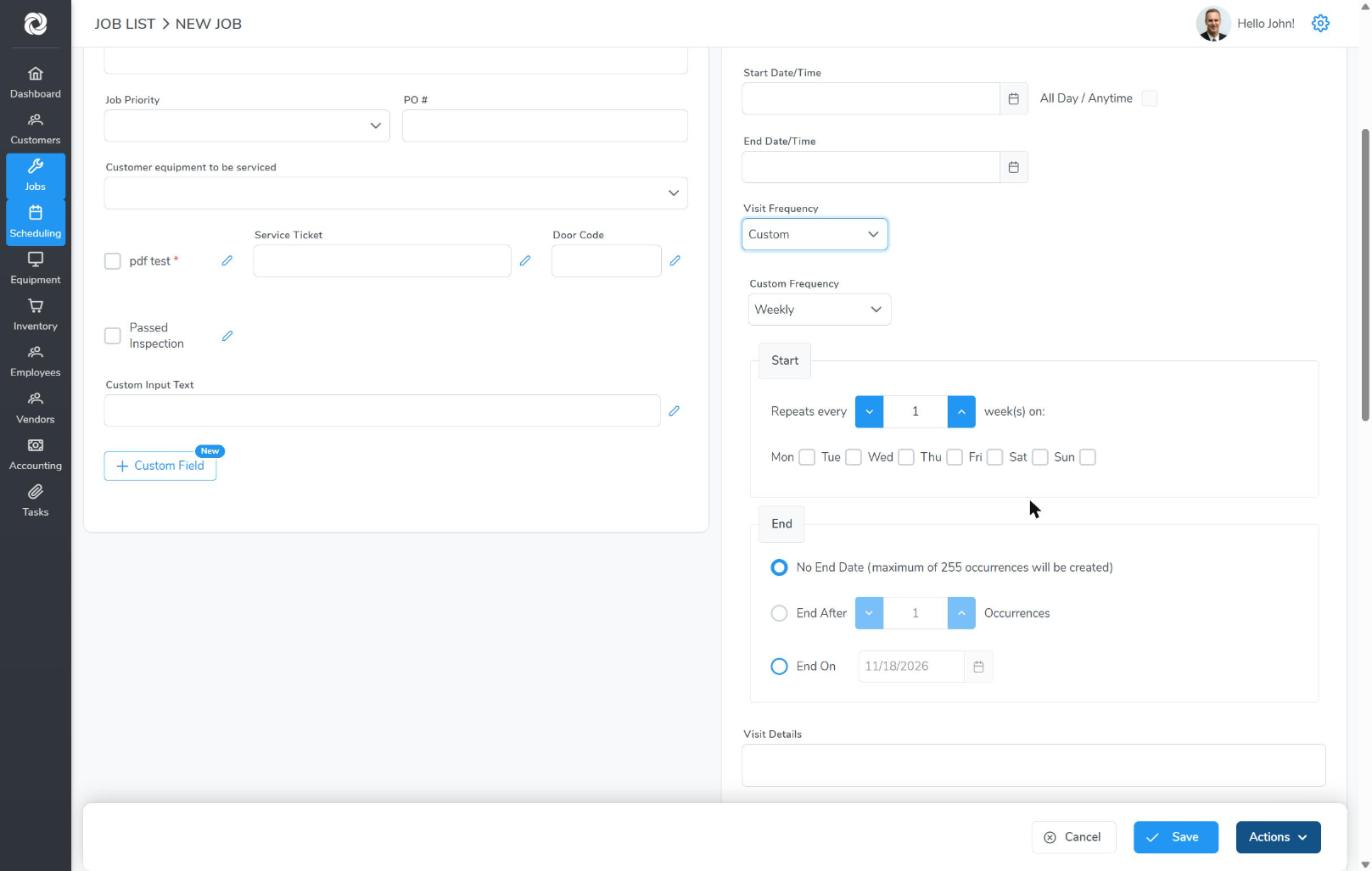
Choose Custom for anything else. Pick daily, weekly, monthly or yearly under Custom Frequency, then set the details. For weekly, choose how many weeks apart and which days, for example every 2 weeks on Tuesday and Friday.
Under End, choose No End Date (up to 255 visits are created), End After a number of visits, or End On a date.
A recurring visit also gets a Visit Status, so you can track each visit separately while the job stays open.
Working with the visits
- Every visit shows on the job’s Job Visits tab and on the calendar.
- Open a single visit to change just that one, for example to move it to another day or assign someone else.
- Invoice each visit as it’s done by opening the visit and clicking Actions > New Invoice.