
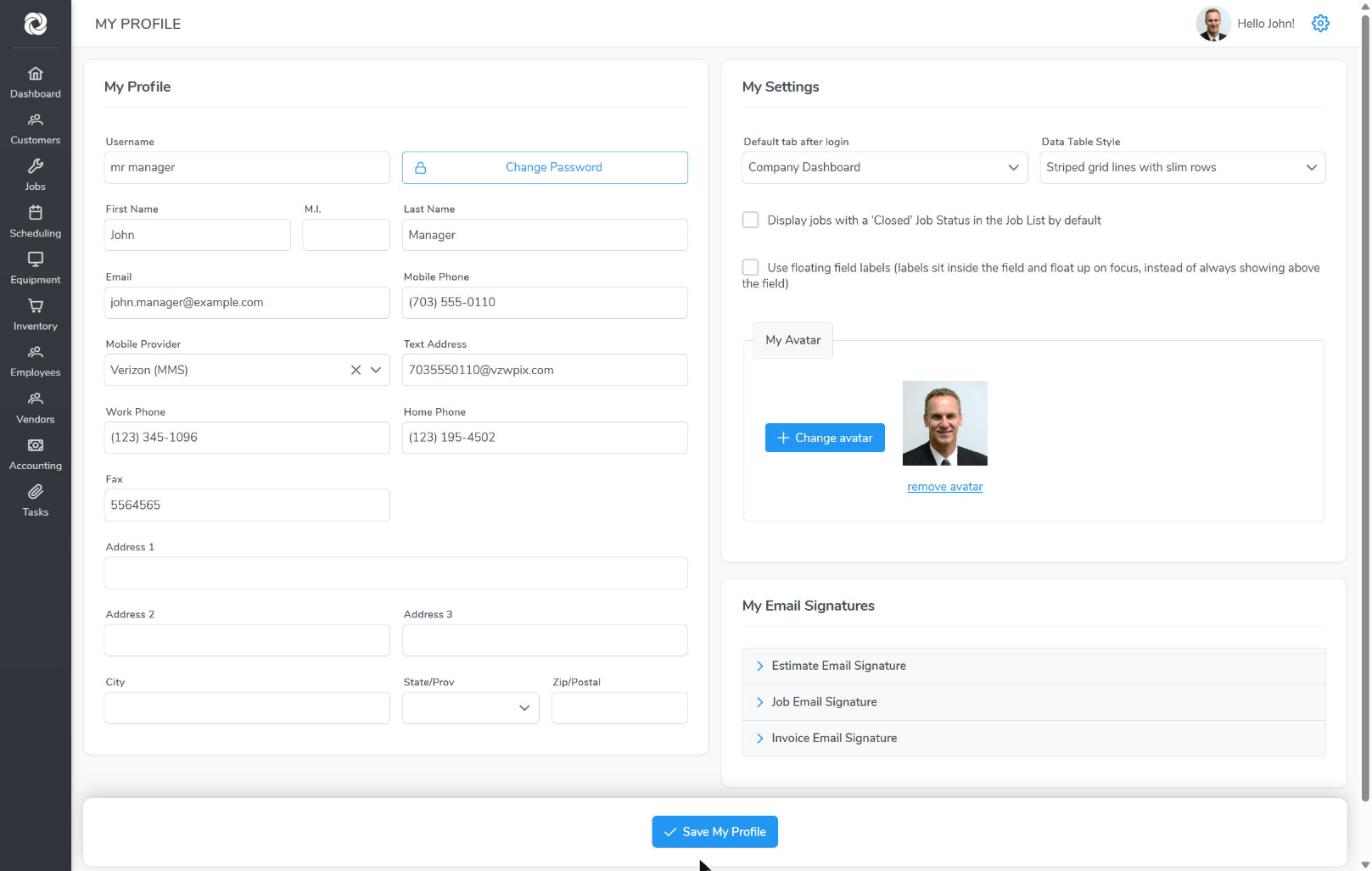
Each user has their own profile and settings. Click the gear icon at the top right, then My Profile. Click Save My Profile when you’re done.
My Profile
- Your name, email and phone numbers. Click Change Password to change your password.
- Enter your Mobile Phone and Mobile Provider to get text alerts. Bella fills in the Text Address.
My Settings
- Default tab after login: the page Bella opens on, such as the Company Dashboard.
- Data Table Style: how lists look, for example striped rows.
- Display jobs with a ‘Closed’ Job Status in the Job List by default.
- Use floating field labels: labels sit inside each field instead of above it.
- My Avatar: upload your photo. It shows on the calendar and next to your name.
My Email Signatures
Add a signature for Estimate, Job and Invoice emails. It’s added to the bottom of emails you send.
My Email Configuration
If an admin has set you to send from your own email, connect it here. See User Email Settings.
Calendar preferences are under the gear icon > Calendar Settings. See Scheduling Overview.